Best Free Video Editing Software – Top 3 Free Video Software for Editors
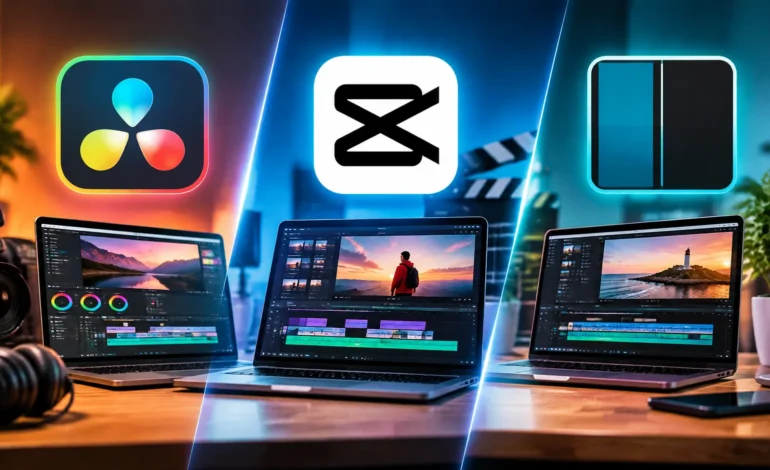
The best free video editing software in 2026 is DaVinci Resolve for serious projects, CapCut for fast social videos, and Shotcut for older or modest computers. Each tool costs nothing to start. However, each hides a catch somewhere. This guide shows exactly what is free, what is locked, and which pick fits you.
Which Free Video Editor Fits You?
| If you want to… | Pick | Why |
| Edit like a pro with no watermark | DaVinci Resolve (free) | Full editing, color and audio tools, 4K export |
| Make short social clips in minutes | CapCut (free) | Templates and simple tools |
| Edit on a modest laptop | Shotcut | Open source, runs on modest hardware |
| Learn a skill you can grow into | DaVinci Resolve (free) | Industry-grade tools without a subscription |
Quick Comparison of Best Free Video Editing Software
| Feature | DaVinci Resolve (free) | CapCut (free) | Shotcut |
| Price | $0 | $0; Pro costs $19.99/month | $0 |
| Best for | Serious and long-form video | Short social videos | Basic editing, modest PCs |
| Max export | Up to 4K | Varies; 4K may carry limits | Not stated in reviews |
| Learning curve | Steep | Easy | Moderate |
| Catch | No AI Neural Engine tools | Pro-only assets block free export | Dated interface, fewer presets |
1. DaVinci Resolve: Best Free Video Editor for Serious Work
DaVinci Resolve gives away a permanent, fully functional version, not a trial. Miracamp’s pricing guide says the free edition covers editing up to 60 fps and export up to UHD 4K (3840×2160). It also includes full color grading, Fusion for visual effects and motion graphics, and Fairlight for audio. For most creators, nothing else free comes close.
What the free version holds back
The paid Studio version costs $295 as a one-time purchase, with no subscription. It adds the following, according to Miracamp and Toolfarm:
- Neural Engine AI tools, such as Magic Mask, Speed Warp and Super Scale.
- Advanced noise reduction.
- Export up to 32K and 120 fps.
- Hardware-accelerated processing across multiple graphics cards.
Toolfarm wrote its comparison for Resolve 19, so recheck Blackmagic’s feature page for the version you install.
Pros
- No watermark and no time limit.
- One program handles editing, color, effects and audio.
- Studio’s price is a single payment, not a monthly fee.
Cons
- Beginners face a steep learning curve.
- Heavy features demand a capable computer, so check Blackmagic’s current system requirements first.
- AI tools sit behind the Studio paywall.
Choose it if you want to grow into professional work, film long videos or color grade footage.
2. CapCut | Best Free Video Editor for Quick Social Videos
CapCut prioritizes speed over depth. Templates, simple trimming and effects let beginners finish a short clip in minutes. The free plan costs $0, and Dupple’s October 2026 review found the app adds no watermark itself.
What the free plan holds back
The catch is Pro-only material. Dupple reports these limits:
- Most templates end with a CapCut logo clip. You can delete it before export.
- Some advanced templates, effects and stock elements carry watermarks. Removing them needs Pro.
- Exporting a project that uses Pro assets requires a Pro subscription.
- CapCut’s pricing page does not publish a free export-resolution limit. Its help article says free 4K web exports may get watermarks or bitrate limits.
Pro costs $19.99 per month or $179.99 per year, about $15 per month on the yearly plan. Pro adds 1 TB of cloud storage, 1,200 AI credits a month and 4K/60 fps export, per Dupple.
Pros
- The easiest learning curve of the three.
- Templates speed up short vertical videos.
- You can delete the logo clip on most free templates.
Cons
- Pro assets can quietly block a free export.
- Free-plan limits are not fully published.
- The tools suit short clips better than long projects.
Choose it if you post short videos to social platforms and value speed.
3. Shotcut | Best Free Video Editor for Modest Computers
Shotcut is completely free, open source software for Windows, macOS and Linux. Tom’s Guide’s review lists multiple audio and video tracks, keyframing, transitions, titles, effects, chroma key and 3D text. Panels are dockable, and the app supports external monitors.
The reviewer’s memory guidance is modest: 4 GB of RAM for SD, 8 GB for HD and 16 GB for 4K. That makes Shotcut a sensible choice for older machines. Note that Tom’s Guide reviewed Shotcut 21 in October 2021, so newer builds may differ.
Pros
- Free and cross-platform, with no account.
- Runs on modest hardware.
- Offers a solid set of editing tools.
Cons
- The reviewer found no social-media export presets and some choppy timeline playback.
- The 2021 review found no multicam editing or motion tracking.
- The learning curve sits between CapCut and Resolve. New users will likely need tutorials.
Choose it if you own an older laptop and want a no-strings editor.
How to Choose the Best Free Video Editing Software
Answer four questions, then match the result to the table above:
- What will you make? Short social clips point to CapCut. Longer films and color work point to DaVinci Resolve.
- How strong is your computer? An older laptop favors Shotcut. A modern machine handles Resolve.
- How much time will you spend learning? CapCut takes minutes. Resolve rewards weeks of practice.
- Will you ever pay? Resolve Studio costs $295 once. CapCut Pro costs $19.99 monthly. Shotcut never asks for money.
Beginner Tips That Work in Any Editor
These habits save time no matter which tool you pick:
- Plan your story first. Write the opening, middle and ending before you import clips.
- Trim ruthlessly. Cut pauses and repeats in the first pass.
- Fix audio early. Viewers forgive soft video faster than muddy sound.
- Keep project files organized. Name folders for footage, music and exports.
- Export a short test. Check a 10-second clip before you render the full video.
- Back up your work. Copy finished projects to a second drive or cloud folder.
Common Mistakes With Free Video Editors
- Using Pro assets by accident. In CapCut, check each template and effect before you finish.
- Starting with the hardest tool. If Resolve overwhelms you, begin with CapCut and move up later.
- Ignoring system limits. Test a short project on your computer before you commit.
- Downloading from unofficial sites. Get each editor from its official website or app store to avoid fake installers.
- Skipping export checks. Preview the final file for sync, logos and quality.
Frequently Asked Questions
What is the best free video editing software?
DaVinci Resolve is the best free video editing software for serious work. CapCut leads for quick social videos, and Shotcut suits modest computers.
Is there free video editing software with no watermark?
Yes. DaVinci Resolve’s free version and Shotcut add no watermark. CapCut adds none itself, but some templates end with a logo clip, and Pro assets can trigger watermarks.
Is DaVinci Resolve really free?
Yes. Its free version is permanent, not a trial. It exports up to UHD 4K and omits only Studio extras such as Neural Engine AI tools and advanced noise reduction.
What does DaVinci Resolve Studio cost?
Studio costs $295 as a one-time purchase, according to Miracamp. Regional prices vary.
How much does CapCut Pro cost?
CapCut Pro costs $19.99 per month or $179.99 per year, per Dupple’s October 2026 review.
Which free video editor suits beginners best?
CapCut has the gentlest learning curve. Beginners who want a long-term skill can start with DaVinci Resolve and follow tutorials.
Which free editor runs on an older computer?
Shotcut. Tom’s Guide describes it as running on modest hardware, with 8 GB of RAM suggested for HD.
Can I edit 4K video for free?
Yes, in DaVinci Resolve, which exports up to UHD 4K. CapCut’s free 4K exports on the web editor may carry watermarks or bitrate limits.
Final Verdict
Pick DaVinci Resolve if you want the most capable free editor. Pick CapCut if you value speed and templates. Pick Shotcut if your computer is modest. Install your top choice, edit one short video this week, and switch only if it frustrates you.