7 Best Free Keyword Research Tools for Bloggers (2026)
Picking the right keywords decides whether a post gets read or sits unseen. You do not need an expensive subscription to start. Several free keyword research tools give new bloggers enough data to choose topics with real search demand.
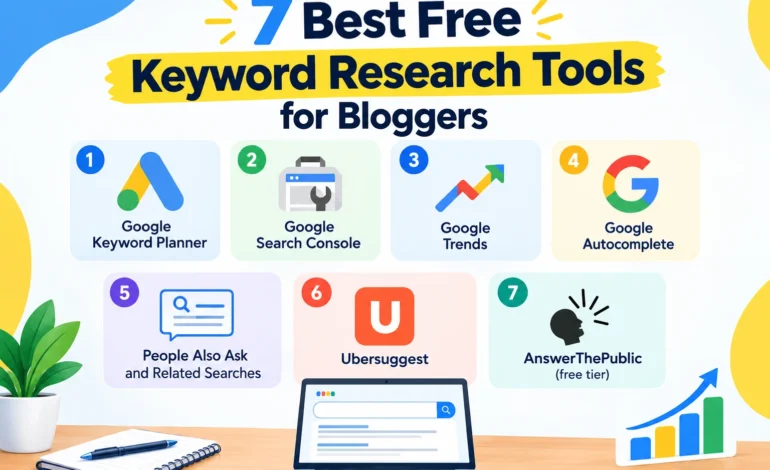
Magazines Insights compares seven free options, shows what each one does best, and explains how to use them together. Here is some key factors of tools.
- Best for search demand data: Google Keyword Planner
- Best for your own site’s data: Google Search Console
- Best for ideas and questions: Google Autocomplete and People Also Ask
- Best for trend timing: Google Trends
Free tools have limits, such as capped searches or rounded volumes. Combine two or three, and treat the numbers as estimates.
Comparison of Keyword Research Tools
| Tool | Best for | Search volume | Free limits |
| Google Keyword Planner | Volume ranges, new ideas | Yes (ranges without ad spend) | Needs a Google Ads account |
| Google Search Console | Queries you already rank for | Impressions and clicks | Only for your own site |
| Google Trends | Seasonal and rising topics | Relative interest | No exact volumes |
| Google Autocomplete | Long-tail phrase ideas | No | Manual |
| People Also Ask / Related searches | Questions to answer | No | Manual |
| Ubersuggest (free tier) | Quick ideas, difficulty score | Yes | Daily search cap |
| AnswerThePublic (free tier) | Question-style keywords | Limited | Search cap |
1. Google Keyword Planner
Keyword Planner sits inside Google Ads. You can use it without running ads, though volumes may show as wide ranges. It is useful for discovering related phrases and comparing demand between two terms. Set the location to the United States or United Kingdom to match your target readers. Here are Pros and Cons given below:
Pros: Data comes straight from Google, good for idea discovery.
Cons: Broad volume ranges without ad spend, needs an account.
2. Google Search Console
Google Search Console shows which searches already bring impressions and clicks to your site. It is the best tool for finding posts that almost rank, such as pages stuck on page two. Improve those pages first.
Pros: Real data about your website which is completely free.
Cons: Shows nothing until your site has impressions.
3. Google Trends
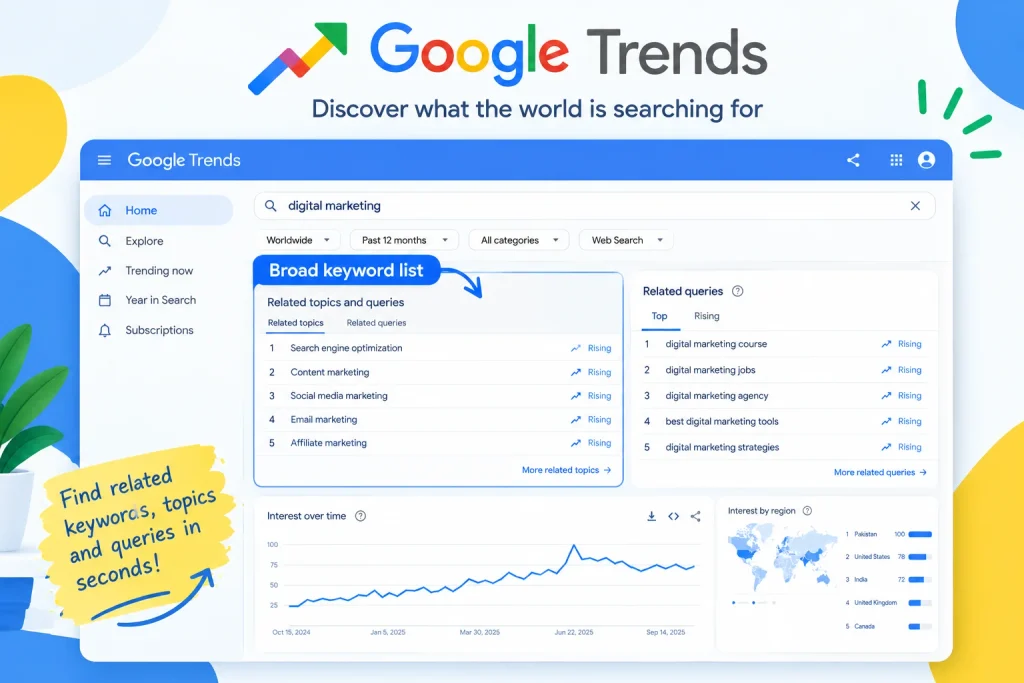
Trends compares how interest in topics rises and falls over time and by country. Use it to time seasonal posts, or to pick between two similar topics. It shows relative interest, not exact search counts.
4. Google Autocomplete
Type a seed phrase into Google and read the suggestions. These come from real searches and often reveal long-tail phrases a small site can rank for. Add letters after your phrase to uncover more ideas.
5. People Also Ask and related searches
These Google boxes list questions people ask about your topic. Use them to plan headings and FAQ sections. Answer each question briefly and clearly.
6. Ubersuggest
Ubersuggest offers keyword ideas, volume estimates, and a difficulty score on a limited free plan. It is a quick way to check competition. Treat the difficulty number as a rough guide.
7. AnswerThePublic (free tier)
This tool turns a seed word into question and comparison phrases, such as “what,” “how,” and “vs” searches. It works well for explainer and review posts. Free searches are limited.
How to use these tools together?
- Brainstorm with Autocomplete and People Also Ask.
- Check demand in Keyword Planner, with the location set to the US or UK.
- Check timing in Google Trends.
- Judge competition by reading the top results. Can you write something more useful or more specific?
- Track results in Search Console after you publish.
What makes a good keyword for a new site?
- It has a clear search intent you can satisfy.
- It is specific, often three or more words.
- Top results are not all giant brands.
- It fits your categories, such as reviews, tech, business, or biographies.
FAQ
What is the best free keyword research tool?
Google’s own tools cover most needs. Pair Keyword Planner with Search Console.
Can I do keyword research without paid tools?
Yes. Autocomplete, People Also Ask, Trends, and Search Console are free and useful.
Are keyword volumes accurate?
Treat them as estimates. Use them to compare options, not as exact traffic forecasts.
How many keywords should one post target?
One main keyword plus a few related phrases that fit naturally.
Conclusion
You can build a solid keyword workflow at no cost. Start with Autocomplete and Keyword Planner, check timing in Trends, and learn from Search Console once your posts start getting impressions.